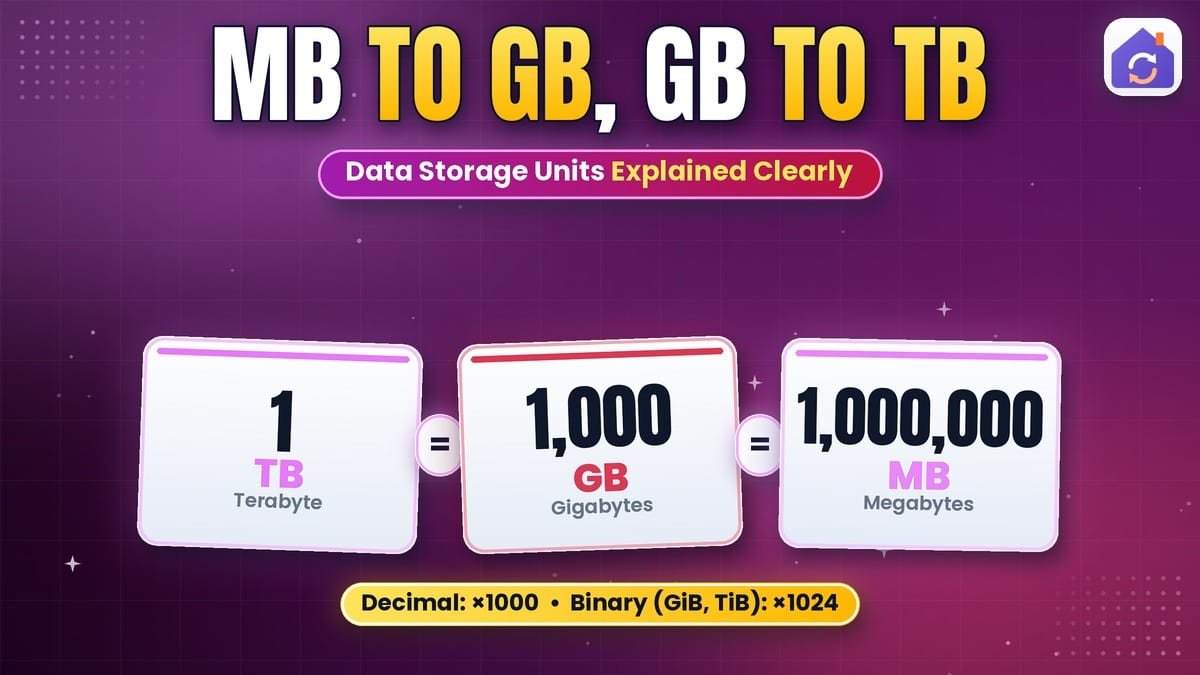
Phone storage, cloud plans, internet speeds and file sizes are all measured in bytes and bits — kilobytes, megabytes, gigabytes and terabytes. Converting mb to gb seems simple, but there are actually two systems in use, which is why a new “1 TB” drive appears as about 931 GB on your computer. Here’s how it all fits together.
Bits and Bytes
- A bit (b) is a single 0 or 1 — the smallest unit of data.
- A byte (B) is 8 bits — enough to store one simple character, like the letter “A”.
Lowercase b means bits; uppercase B means bytes. Internet speeds are quoted in bits per second (Mbps), while file sizes are in bytes (MB) — an 8× difference.
Binary vs Decimal: The Source of Confusion
| Name | Binary (computers) | Decimal (drive makers, SI) |
|---|---|---|
| Kilobyte (KB) | 1,024 bytes | 1,000 bytes |
| Megabyte (MB) | 1,024 KB | 1,000 kB |
| Gigabyte (GB) | 1,024 MB | 1,000 MB |
| Terabyte (TB) | 1,024 GB | 1,000 GB |
Computers work in powers of 2, so operating systems traditionally count 1 KB as 1,024 bytes. Storage manufacturers use the decimal SI meaning, 1,000. To remove ambiguity, the binary units have official names — kibibyte (KiB), mebibyte (MiB), gibibyte (GiB) — but most software still writes “GB”.
Why Does a 1 TB Drive Show 931 GB?
The manufacturer’s 1 TB is 1,000,000,000,000 bytes. Windows divides by 1,024 three times to show “GB”, giving 1,000,000,000,000 ÷ 1,073,741,824 = 931.3 GB. Nothing is missing — it’s the same number of bytes counted two ways. (macOS has used decimal units since 2009, so Macs show the full 1 TB.)
How to Convert MB to GB
- Binary: divide MB by 1,024. 5,120 MB ÷ 1,024 = 5 GB.
- Decimal: divide MB by 1,000. 5,120 MB ÷ 1,000 = 5.12 GB.
For GB to MB, multiply by 1,024 (or 1,000). Which is a gigabyte bigger than? A gigabyte is about a thousand times bigger than a megabyte. Quick pages: MB to GB, GB to MB, GB to TB and KB to MB.
Storage Size Chart (Binary)
| Unit | Equals | Roughly holds |
|---|---|---|
| 1 KB | 1,024 bytes | A short text message |
| 1 MB | 1,024 KB | A small photo or a minute of MP3 audio |
| 1 GB | 1,024 MB | Hundreds of photos or about an hour of HD video streaming |
| 1 TB | 1,024 GB | Hundreds of thousands of photos |
| 1 PB | 1,024 TB | Data-centre scale |
Mbps vs MB/s: Internet Speed
A 100 Mbps internet connection transfers 100 megabits per second, which is 100 ÷ 8 = 12.5 megabytes per second at best. So a 1 GB file takes roughly 80–90 seconds on a 100 Mbps line in perfect conditions. Always divide bits by 8 to get bytes.
How to Use the Data Storage Converter
With our free Data Storage Converter:
- Choose the unit you have and the unit you want. Plain “GB”, “MB” and so on are the binary (1,024) units; units labelled “10^9 bytes” and similar are decimal.
- Type the value — the result updates instantly.
- Swap, set significant digits and copy the result.
- See the size in all 41 units, including bits, nibbles and even floppy disks, CDs and DVDs.
MB to GB for Mobile Data Plans
Mobile data allowances are sold in GB, but apps often report usage in MB. If your plan includes 10 GB and you’ve used 6,400 MB, you’ve used about 6.25 GB (binary) and have roughly 3.75 GB left. Carriers usually count in decimal units, so the exact leftover may differ slightly from what your phone shows — another reason to leave a small buffer before the month ends.
How Many Photos, Songs or Videos Fit?
File sizes vary a lot, but as rough guides: a phone photo is 2–5 MB, a song 3–10 MB, an hour of HD streaming 1–3 GB and an hour of 4K video 7 GB or more. A 128 GB phone can hold roughly 25,000–40,000 photos if nothing else is stored. To save space, compress photos with our Image Compressor.
Cloud Storage Plans
Cloud services sell storage in GB and TB tiers. A 2 TB plan holds about 2,000 GB in decimal terms — plenty for most families’ photos and documents.
Common Mistakes
- Mixing bits and bytes (Mb vs MB) — an 8× error.
- Expecting a drive to show its full advertised capacity in Windows.
- Comparing cloud plans that use different definitions without checking.
For the official binary prefixes, see binary prefix on Wikipedia.
Final Thoughts
To convert mb to gb, divide by 1,024 for the binary units computers show, or by 1,000 for decimal units drive makers use. Divide bits by 8 for bytes. Once you know there are two systems, the “missing” storage mystery disappears. Try the free Data Storage Converter for 41 units.
Frequently Asked Questions
How do you convert MB to GB?
Divide megabytes by 1,000 if you are using decimal units, which is how drive makers, phone carriers and macOS count, or by 1,024 for binary units, which is how Windows reports sizes. For example, 5,000 MB is 5 GB in decimal terms but about 4.88 GB in binary terms. For everyday purposes the difference is small, but it grows with larger numbers.
How many MB are in a GB?
It depends on the convention. A decimal gigabyte contains exactly 1,000 megabytes, the definition used by storage makers and the SI system. A binary gigabyte, properly called a gibibyte (GiB), contains 1,024 mebibytes. Windows uses the binary counting but labels it GB, which is the source of most confusion. Our converter shows both systems so you can pick the one that matches your device.
Which is bigger, a megabyte or a gigabyte?
A gigabyte is bigger: it is about a thousand times larger than a megabyte (exactly 1,000 times in decimal units or 1,024 times in binary units). To picture it, a typical phone photo is around 3 MB, so a single gigabyte holds hundreds of photos. The order from smallest to largest is byte, kilobyte, megabyte, gigabyte, terabyte, petabyte.
Why does my 1 TB drive show 931 GB?
Nothing is missing. The manufacturer counts 1 TB as 1,000,000,000,000 bytes (decimal), but Windows divides that by 1,024 three times and labels the result GB. 10^12 ÷ 1,024³ is about 931.3, so Windows shows 931 GB for a 1 TB drive. macOS uses decimal units and shows 1 TB. A little extra space is also used by the file system and recovery partitions.
How many GB are in a TB?
A decimal terabyte contains exactly 1,000 gigabytes, as used on drive packaging. A binary terabyte, properly a tebibyte (TiB), contains 1,024 gibibytes. That gap of 2.4% at each step adds up: a 2 TB drive appears as about 1.82 TB in Windows. When comparing cloud storage plans or drives, check whether sizes are quoted in decimal or binary units.
What is the difference between Mb and MB?
A lowercase b means bits and a capital B means bytes, and one byte is 8 bits. So Mb is megabits, used for network speeds such as 100 Mbps, while MB is megabytes, used for file sizes. A file of 50 MB is 400 Mb. Mixing them up is the most common reason internet downloads seem eight times slower than the advertised speed.
How fast is 100 Mbps in MB/s?
A 100 Mbps connection can transfer at most about 12.5 megabytes per second, because you divide the bits by 8 to get bytes. In practice, protocol overhead and Wi-Fi conditions usually reduce this to around 10 to 11 MB/s. At that rate a 1 GB file takes roughly 80 to 100 seconds to download. A 1 Gbps fiber line tops out near 125 MB/s.
How many bits are in a byte?
There are 8 bits in a byte. A bit is a single binary digit, 0 or 1, and a byte is the group of 8 bits that computers use as the basic unit for storing a character or small number. One byte can represent 256 different values, from 0 to 255. Half a byte, 4 bits, is called a nibble and matches exactly one hexadecimal digit.
What is a gibibyte?
A gibibyte (GiB) is exactly 1,024³ bytes, or 1,073,741,824 bytes. The name was introduced by the International Electrotechnical Commission in 1998 to give binary sizes their own unambiguous units, so that GB could mean exactly 10^9 bytes. Linux tools and many technical documents use GiB, MiB and KiB, while Windows still writes binary values with GB, MB and KB labels.
How many photos fit in 1 GB?
Roughly 200 to 500 photos from a modern phone, depending on resolution and format. A typical 12-megapixel JPEG is about 2 to 5 MB, and HEIC files are usually smaller, around 1.5 to 3 MB. High-resolution 48-megapixel or RAW photos can be 20 MB or more, cutting the count sharply. Compressing photos before uploading or sharing can fit several times more into the same space.