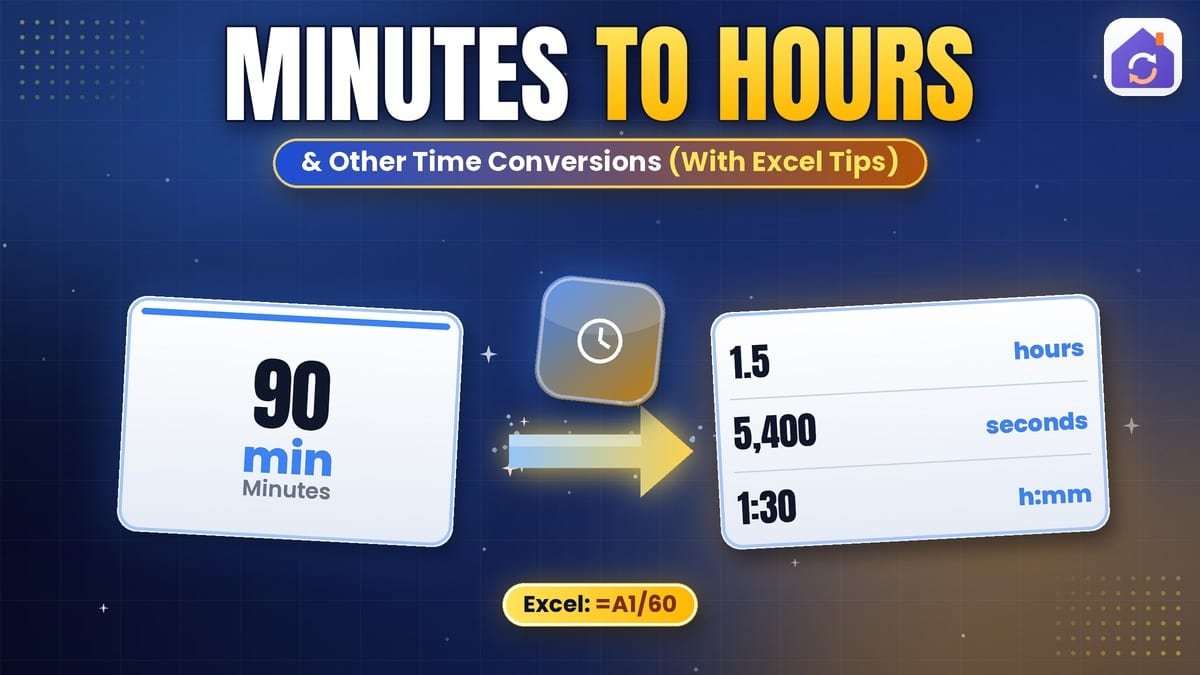
Time is the one unit everyone uses daily, yet converting it still causes confusion — mostly because it isn’t decimal. There are 60 minutes in an hour, 24 hours in a day and roughly 30.4 days in a month. Converting minutes to hours for a timesheet, working out how many seconds are in a week, or turning 7.75 hours into hours and minutes all follow a few simple rules.
Basic Time Units
| Unit | Equals |
|---|---|
| 1 minute | 60 seconds |
| 1 hour | 60 minutes = 3,600 seconds |
| 1 day | 24 hours = 1,440 minutes = 86,400 seconds |
| 1 week | 7 days = 168 hours |
| 1 fortnight | 14 days |
| 1 month (average) | 30.44 days = 4.35 weeks |
| 1 year (Gregorian average) | 365.2425 days = 52.18 weeks = 8,765.8 hours |
How to Convert Minutes to Hours
Divide the minutes by 60. For example, 150 minutes ÷ 60 = 2.5 hours. To express it as hours and minutes, take the whole number (2 hours) and multiply the decimal part by 60 (0.5 × 60 = 30 minutes): 2 hours 30 minutes.
To convert hours to minutes, multiply by 60: 3.25 hours × 60 = 195 minutes.
Minutes to Hours Chart
| Minutes | Decimal hours | Hours and minutes |
|---|---|---|
| 15 | 0.25 | 0 h 15 min |
| 20 | 0.33 | 0 h 20 min |
| 30 | 0.5 | 0 h 30 min |
| 45 | 0.75 | 0 h 45 min |
| 90 | 1.5 | 1 h 30 min |
| 100 | 1.67 | 1 h 40 min |
| 135 | 2.25 | 2 h 15 min |
| 480 | 8 | 8 h 0 min |
Decimal Hours vs Hours and Minutes
This is where payroll mistakes happen. 7.5 hours is 7 hours 30 minutes, not 7 hours 50 minutes. The decimal part is a fraction of an hour, so multiply it by 60 to get minutes. Going the other way, 7 hours 45 minutes = 7 + 45/60 = 7.75 hours.
Common decimal equivalents: 6 minutes = 0.1 h, 12 minutes = 0.2 h, 15 minutes = 0.25 h, 36 minutes = 0.6 h.
Minutes to Hours in Excel
- Minutes to decimal hours:
=A1/60 - Minutes to hh:mm time:
=A1/1440and format the cell as[h]:mm. Excel stores times as fractions of a day, and there are 1,440 minutes in a day. - Time (hh:mm) to decimal hours:
=A1*24and format as a number. - Total hours over 24: use the
[h]:mmformat so totals don’t wrap back to zero after a day.
Excel also has =CONVERT(A1,"mn","hr") for unit conversion.
How to Use the Time Converter
With our free Time Converter:
- Choose the units — seconds, minutes, hours, days, weeks, months, years and more.
- Type a value in either box and the other updates immediately.
- Swap direction, choose significant digits and copy the result.
- Check the table to see the same duration in all 33 time units.
It also includes scientific units like milliseconds, nanoseconds and Planck time, plus astronomical units such as sidereal days and tropical years.
Why Is a Year 365.2425 Days?
Earth takes about 365.24 days to orbit the Sun. The Gregorian calendar keeps in step by adding a leap day every four years, except century years not divisible by 400 (so 2000 was a leap year, but 1900 wasn’t). Averaged over 400 years, that’s exactly 365.2425 days — the value our converter uses for “year”.
Months Aren’t Equal
Months vary from 28 to 31 days, so any month conversion is an average: 30.44 days or 4.35 weeks. For contracts, rent or billing, use the actual calendar dates rather than an average. For pay calculations, many employers use 52 weeks ÷ 12 = 4.33 weeks per month.
Military Time and Time Zones
Military (24-hour) time counts hours from 00 to 23: 1:00 pm is 13:00 and 11:30 pm is 23:30. Subtract 12 from afternoon hours to get the 12-hour clock. Time zone conversion (such as UTC to your local time) is a different problem — it adds or subtracts hours rather than changing units. For Unix timestamps, try the Epoch Converter.
Practical Uses
- Timesheets and payroll: converting worked minutes into decimal hours.
- Project planning: estimating person-days and weeks.
- Cooking and fitness: converting minutes and seconds.
- Science: converting milliseconds and microseconds in experiments.
- Billing: charging in 6- or 15-minute increments.
Common Mistakes
- Reading decimal hours as minutes (1.20 hours is 1 h 12 min, not 1 h 20 min).
- Assuming every month has 30 days.
- Letting Excel totals wrap past 24 hours by using the wrong time format.
For the history of timekeeping units, see unit of time on Wikipedia.
Final Thoughts
To convert minutes to hours, divide by 60; to turn decimal hours into minutes, multiply the decimal part by 60. Use averages carefully for months and years, and the right format in Excel. Try the free Time Converter for 33 time units in one place.
Frequently Asked Questions
How do you convert minutes to hours?
Divide the number of minutes by 60, because there are 60 minutes in an hour. For example, 150 minutes ÷ 60 = 2.5 hours, and 45 minutes ÷ 60 = 0.75 hours. If you need hours and minutes instead of a decimal, take the whole number as the hours and multiply the decimal part by 60: 2.5 hours becomes 2 hours and 0.5 × 60 = 30 minutes.
How many minutes are in an hour?
There are exactly 60 minutes in one hour, and 60 seconds in each minute, so an hour contains 3,600 seconds. This base-60 system comes from ancient Babylonian mathematics, chosen because 60 divides evenly by 2, 3, 4, 5, 6, 10, 12, 15, 20 and 30. That is why a quarter hour is a neat 15 minutes and a third of an hour is 20 minutes.
How do you convert hours to minutes?
Multiply the number of hours by 60. For example, 2.25 hours × 60 = 135 minutes, and 1.5 hours × 60 = 90 minutes. If the hours are given as hours and minutes, convert the whole hours and then add the extra minutes: 3 hours 20 minutes is 3 × 60 + 20 = 200 minutes. To get seconds, multiply the minutes by 60 again.
What is 7.5 hours in hours and minutes?
It is 7 hours 30 minutes. The whole number 7 gives the hours, and the decimal 0.5 is half an hour, which is 0.5 × 60 = 30 minutes. The same method works for any decimal: 7.25 hours is 7 hours 15 minutes, 7.75 hours is 7 hours 45 minutes, and 7.2 hours is 7 hours 12 minutes. Timesheets often show decimal hours, so this conversion is common for payroll.
How do I convert minutes to hours in Excel?
For decimal hours, use =A1/60, where A1 holds the minutes. For a clock-style result such as 2:30, use =A1/1440 and format the cell with the custom format [h]:mm, because Excel stores time as a fraction of a day (1,440 minutes). The square brackets around h let totals go above 24 hours, which is important when adding up weekly or monthly working time.
How do I convert hours and minutes to decimal?
Divide the minutes by 60 and add the result to the hours. For example, 3 hours 15 minutes is 3 + 15 ÷ 60 = 3.25 hours, and 8 hours 40 minutes is 8 + 40 ÷ 60 = 8.67 hours. This is how timesheets and billing systems usually record time. Be careful not to write 8 hours 40 minutes as 8.40, which would understate it by about 16 minutes.
How many seconds are in a day?
A standard day has 86,400 seconds: 24 hours × 60 minutes × 60 seconds. A week therefore has 604,800 seconds, and a 365-day year has 31,536,000 seconds. Occasionally a leap second has been added to keep clocks in step with the Earth’s rotation, making that day 86,401 seconds long, but international timekeepers have agreed to stop adding leap seconds by 2035.
How many weeks are in a month?
On average a month has about 4.35 weeks. That figure comes from the average Gregorian year of 365.2425 days divided by 12 months and then by 7 days. Many people use 4.33 instead, which comes from 52 weeks ÷ 12 months, and it is close enough for budgets. Individual months vary: February has exactly 4 weeks in a common year, while 31-day months have 4 weeks and 3 days.
How many hours are in a year?
A common year of 365 days has 8,760 hours, and a leap year of 366 days has 8,784 hours. Averaged over the Gregorian calendar’s 400-year cycle, a year is 365.2425 days, or about 8,766 hours. Engineers often use 8,760 hours when estimating annual energy use, for example multiplying a device’s average power in kW by 8,760 to get kWh per year.
What is military time conversion?
Military time is the 24-hour clock, where the day runs from 0000 to 2359 without a.m. or p.m. Morning times look almost the same, so 9:00 a.m. is 0900. For afternoon and evening times, subtract 12 from the hour: 1500 is 3:00 p.m. and 2130 is 9:30 p.m. Midnight is 0000 and noon is 1200. Going the other way, add 12 to any p.m. hour except 12 p.m.